01
Keep the queue moving
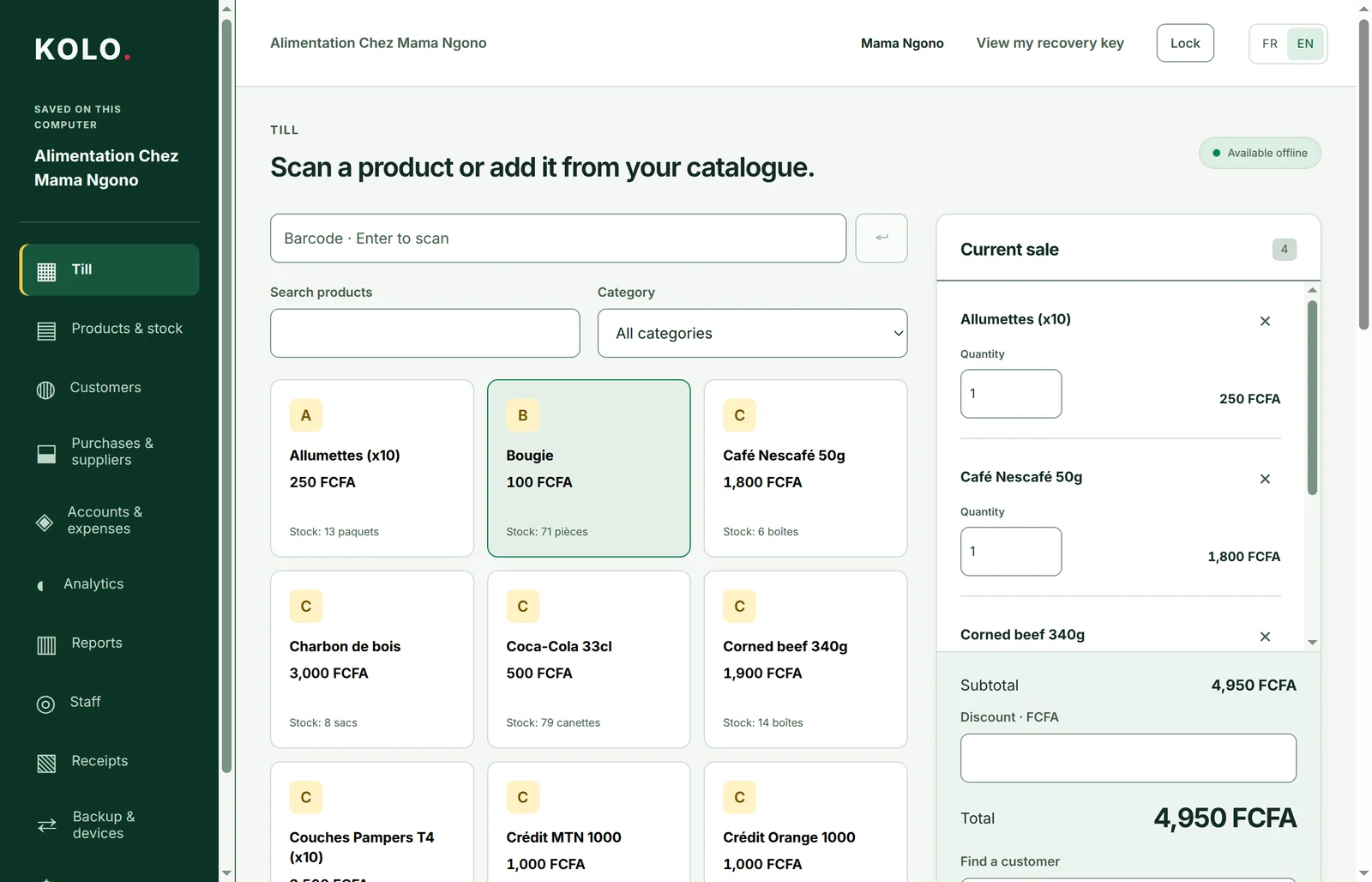
Find a product, add it to the sale, and take payment. Handle discounts, split payments and customer credit, then print or share a receipt.
Personal staff codes and permissions keep access clear.
 KOLO.
KOLO.Sales, stock, and customer credit. Keep your shop running, even without internet.
Public beta/On your computer. On your Android phone. In English or French.
Screens shown with demo-shop data.
For shop owners and the people behind the counter. Groceries, boutiques, supermarkets, pharmacies and wholesalers.
Find a product, add it to the sale, and take payment. Handle discounts, split payments and customer credit, then print or share a receipt.
Personal staff codes and permissions keep access clear.
Follow stock, record deliveries and count what is really there. Keep customers, suppliers and purchases in the same place.
Low-stock alerts help you spot what needs restocking.
Check the day’s sales, profit and expenses. See what customers owe you and what you owe suppliers.
Clear reports, without hunting through notebooks.
Explore the till, stock and reports on desktop, and selling on Android. Select a picture for a closer look.
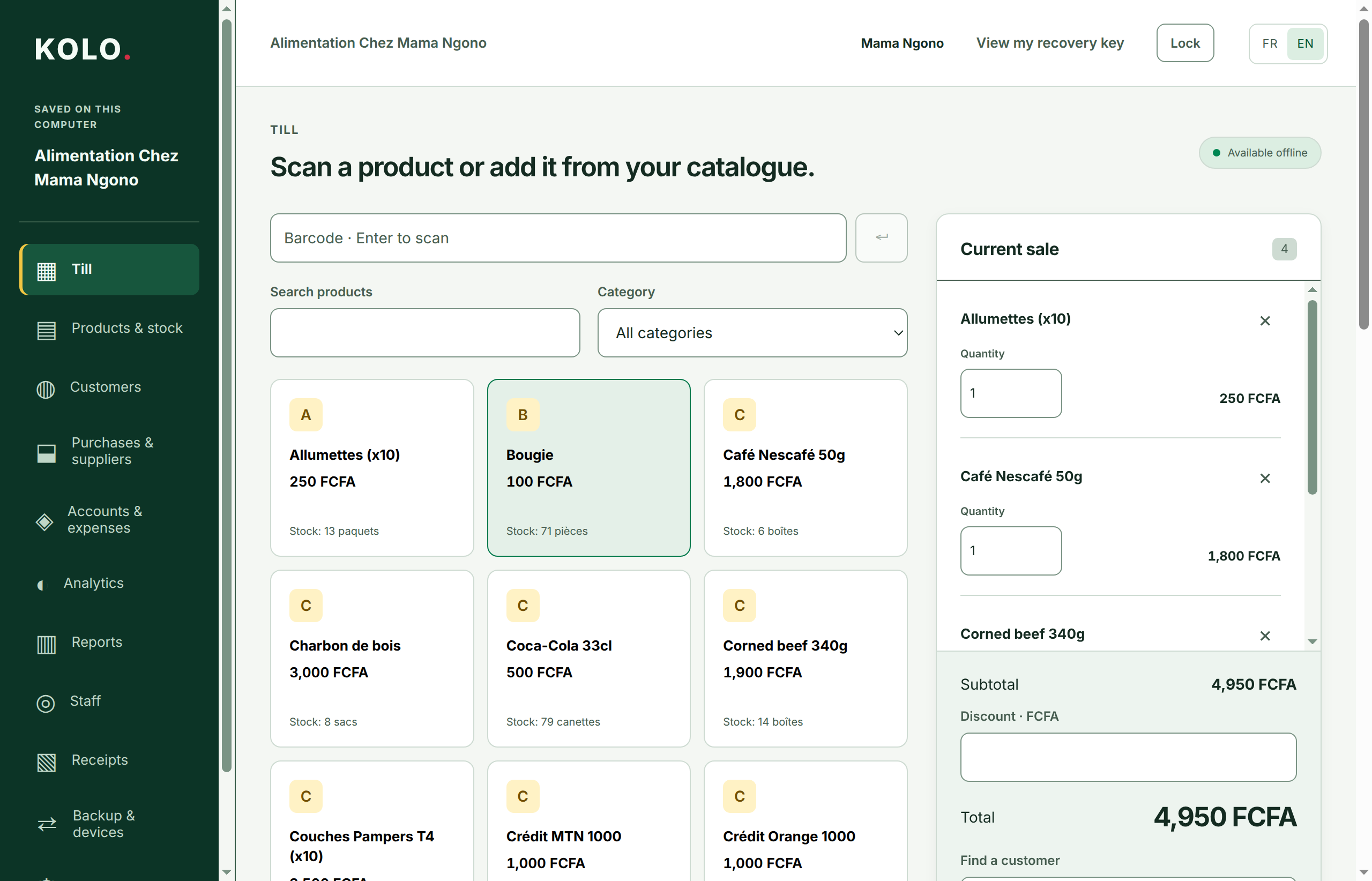
Search products, build a sale and follow the total.
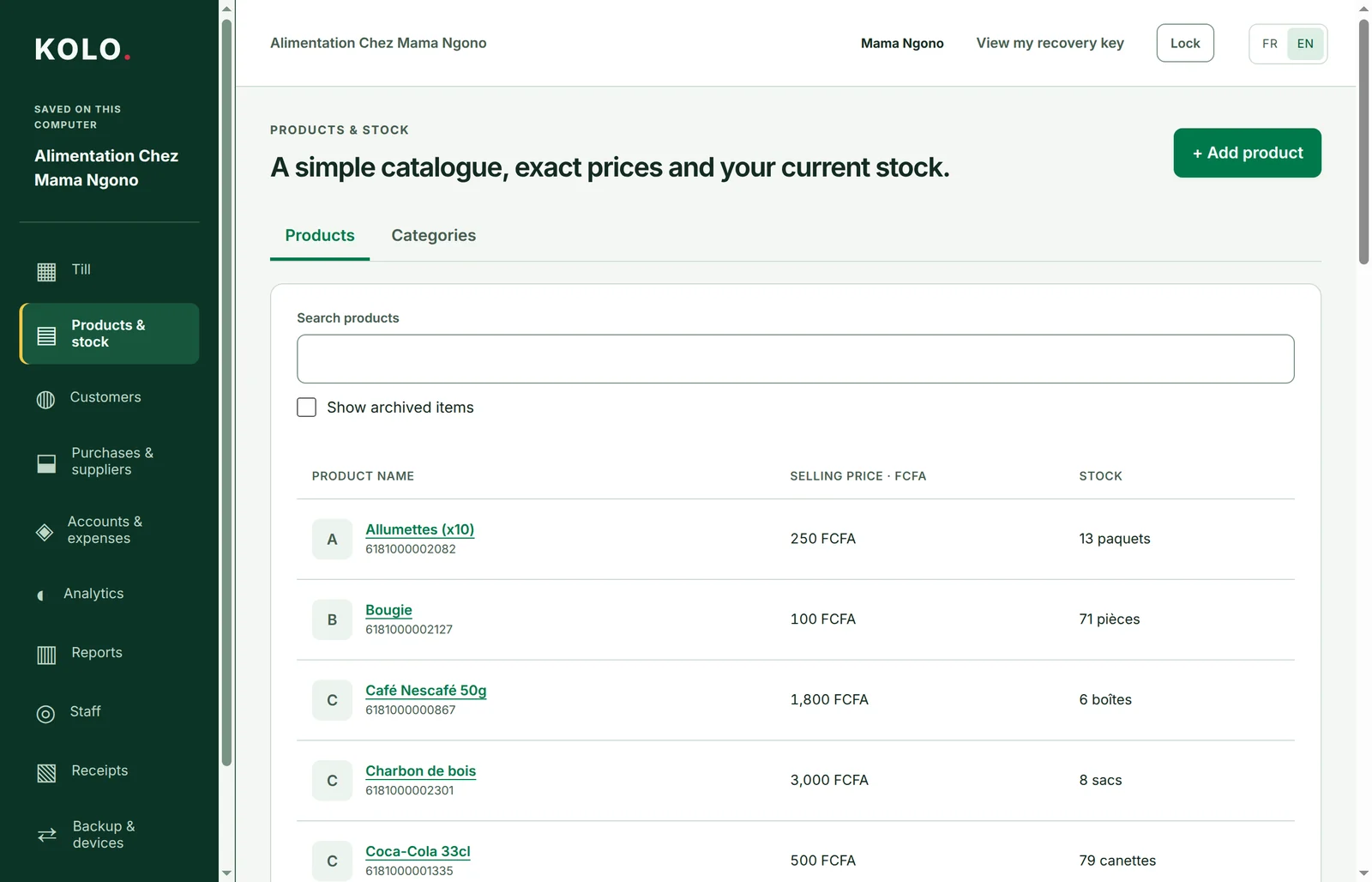
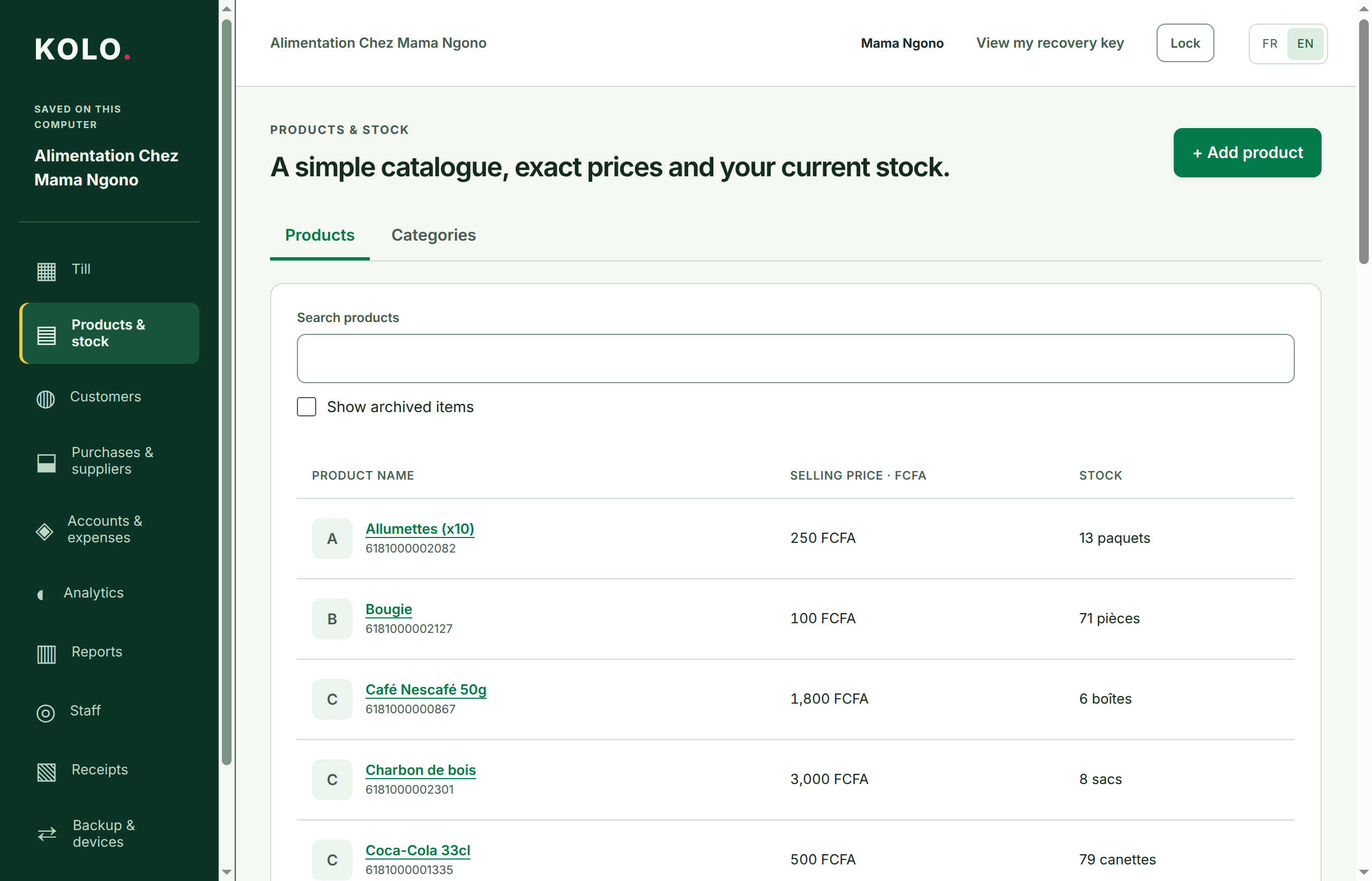
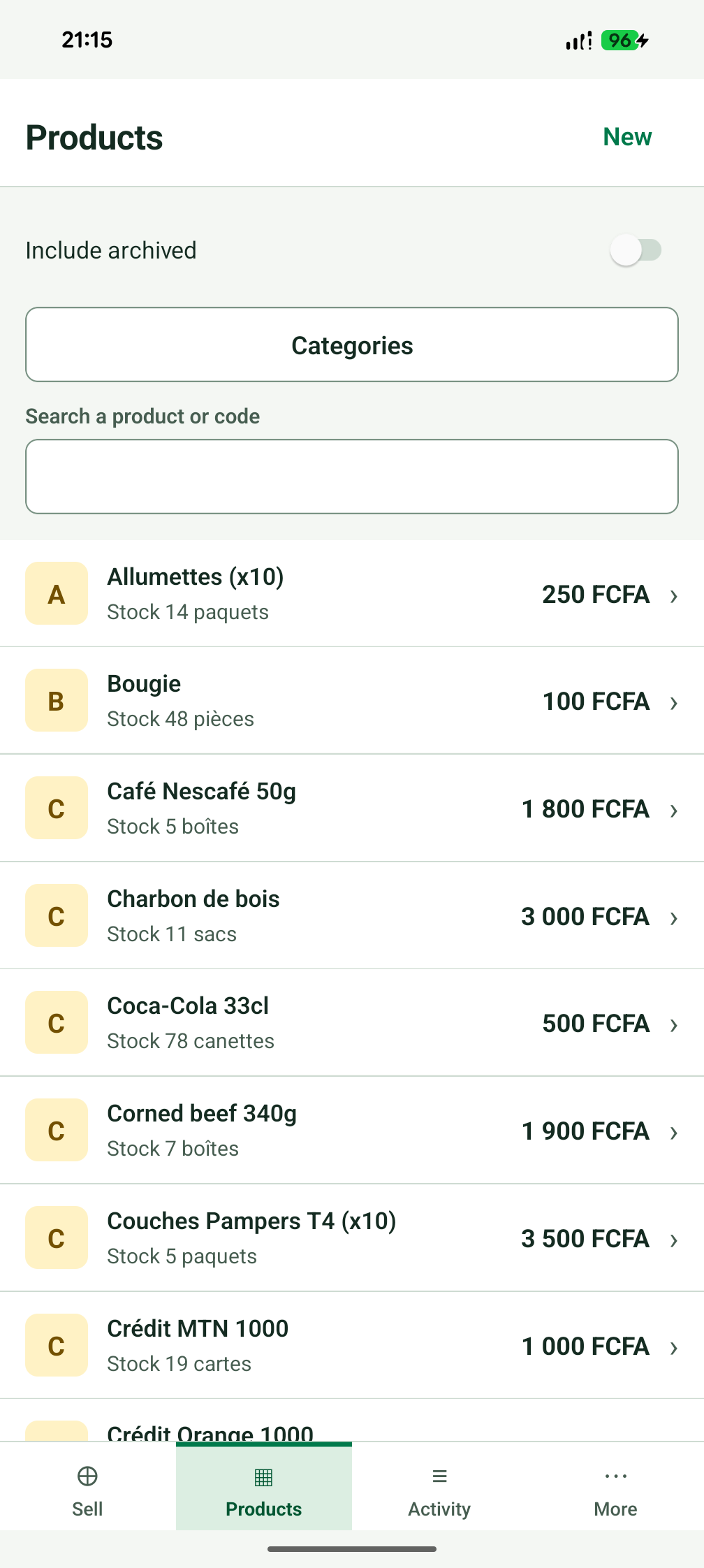
See your catalogue and what is left in stock.
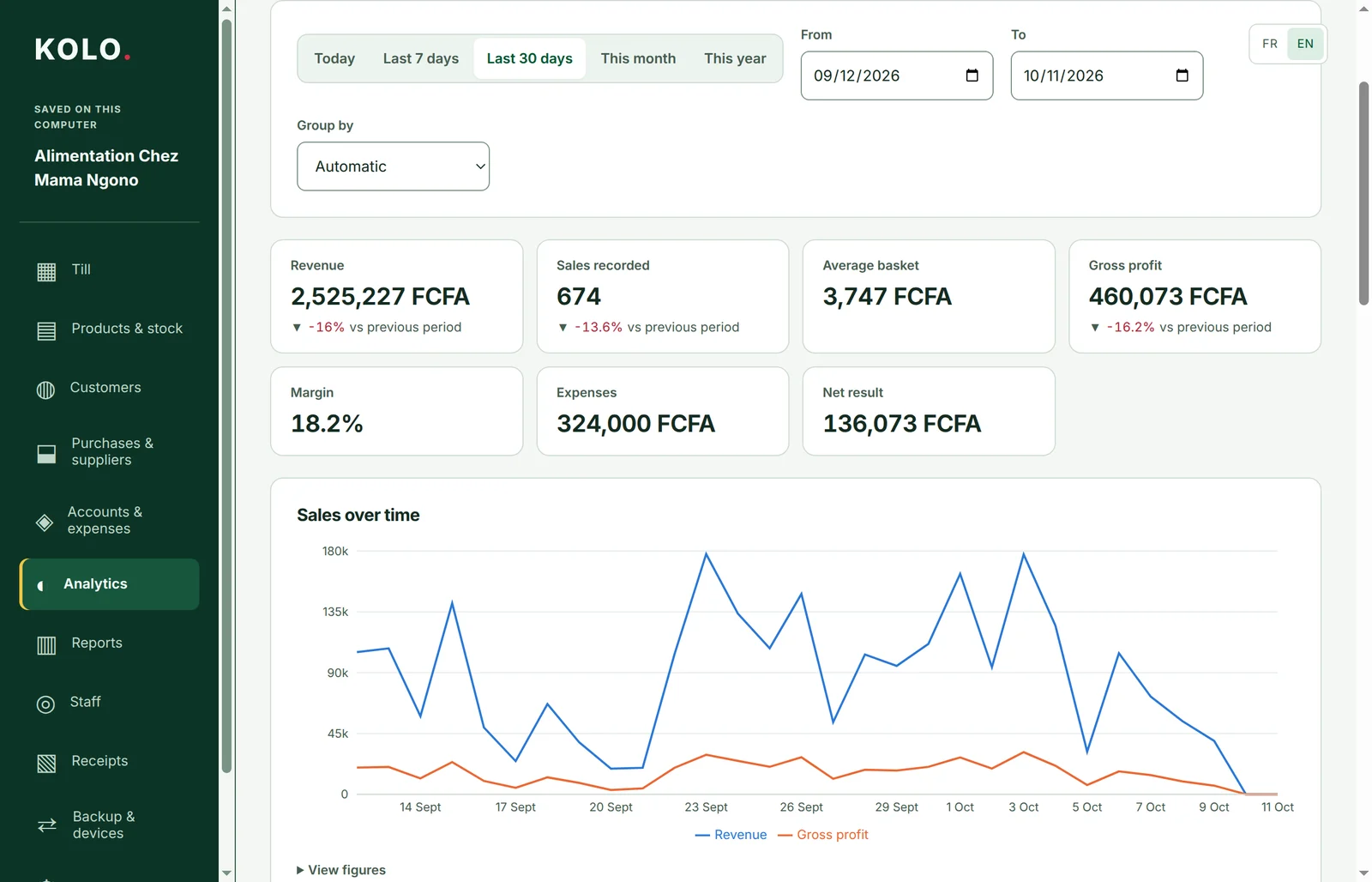
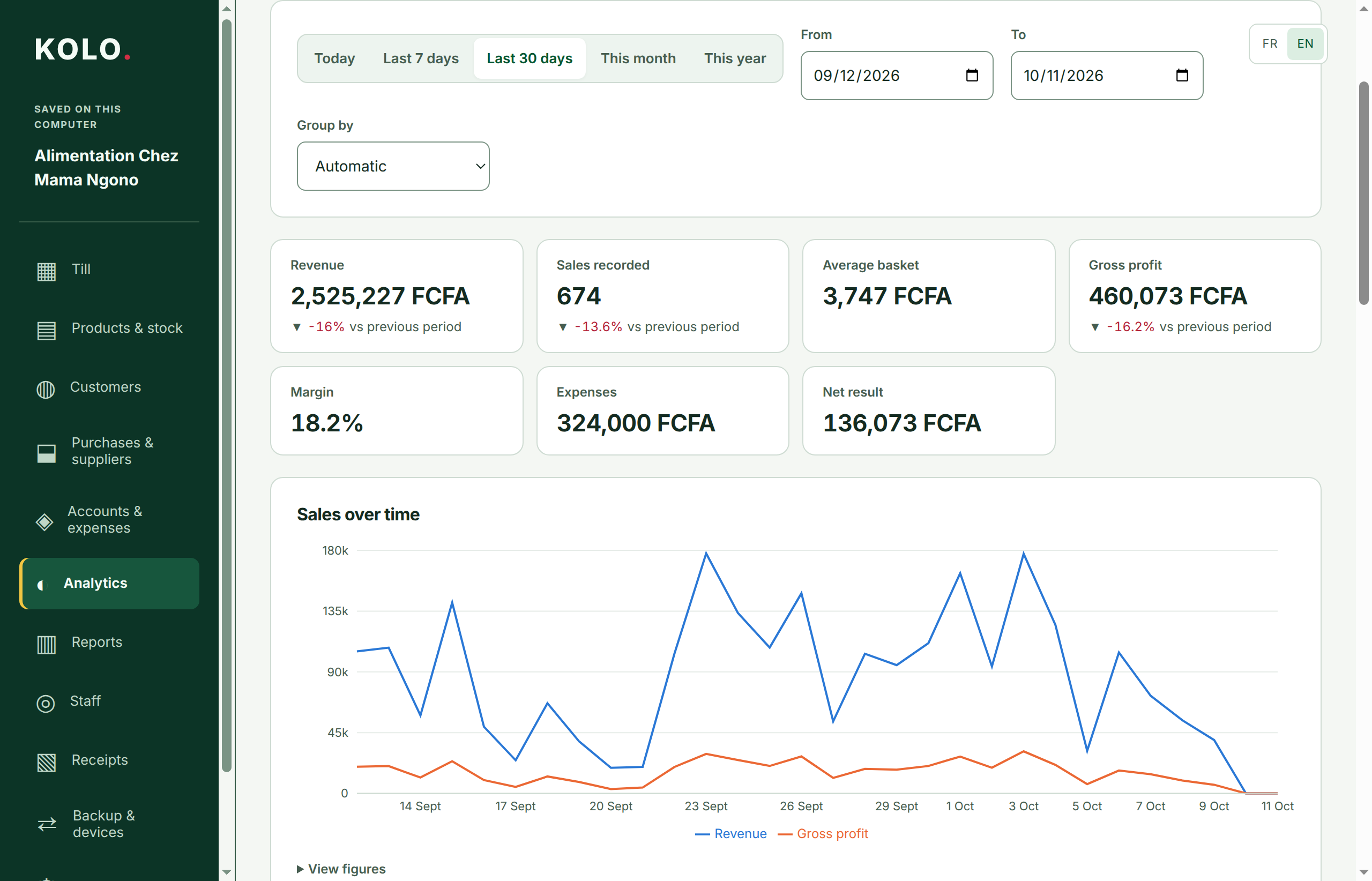
Follow sales and profit over time.
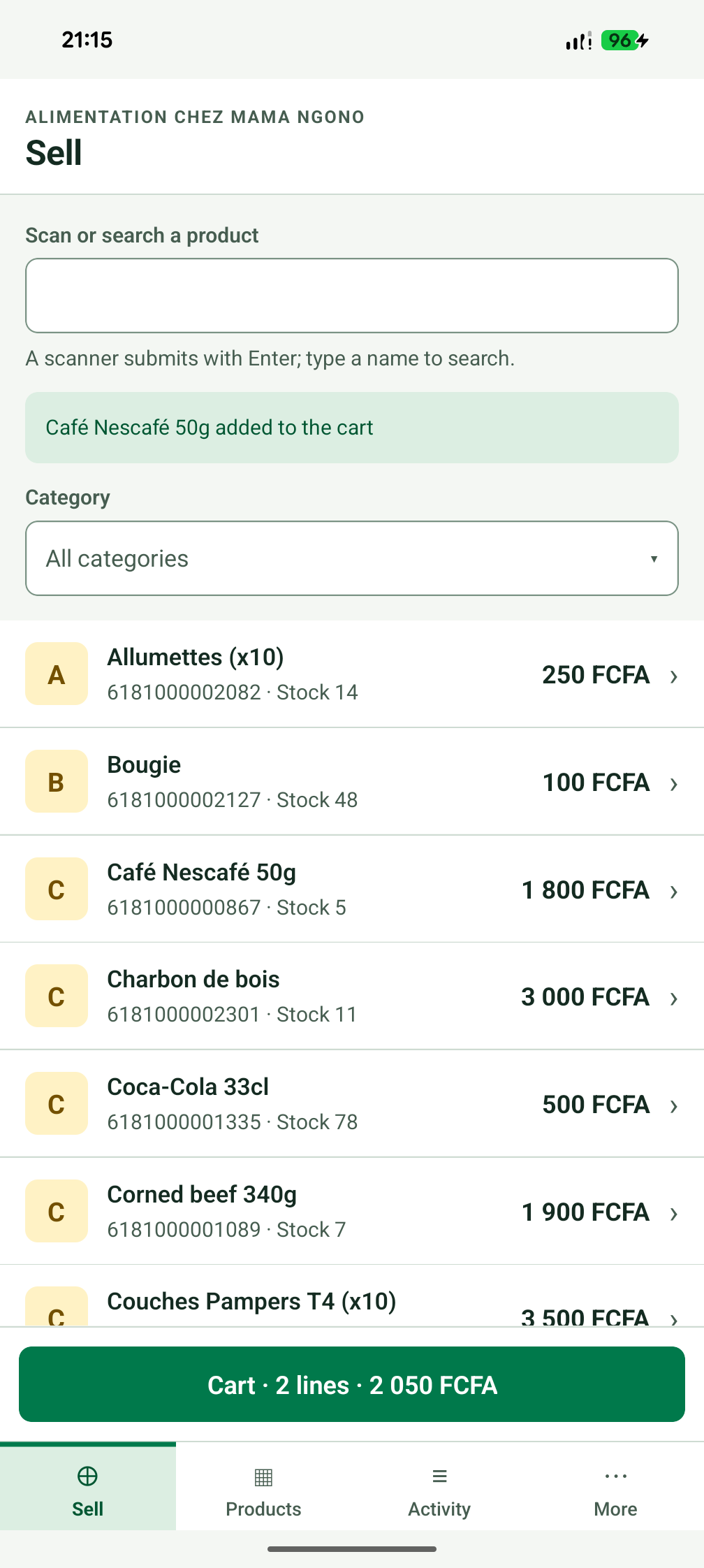
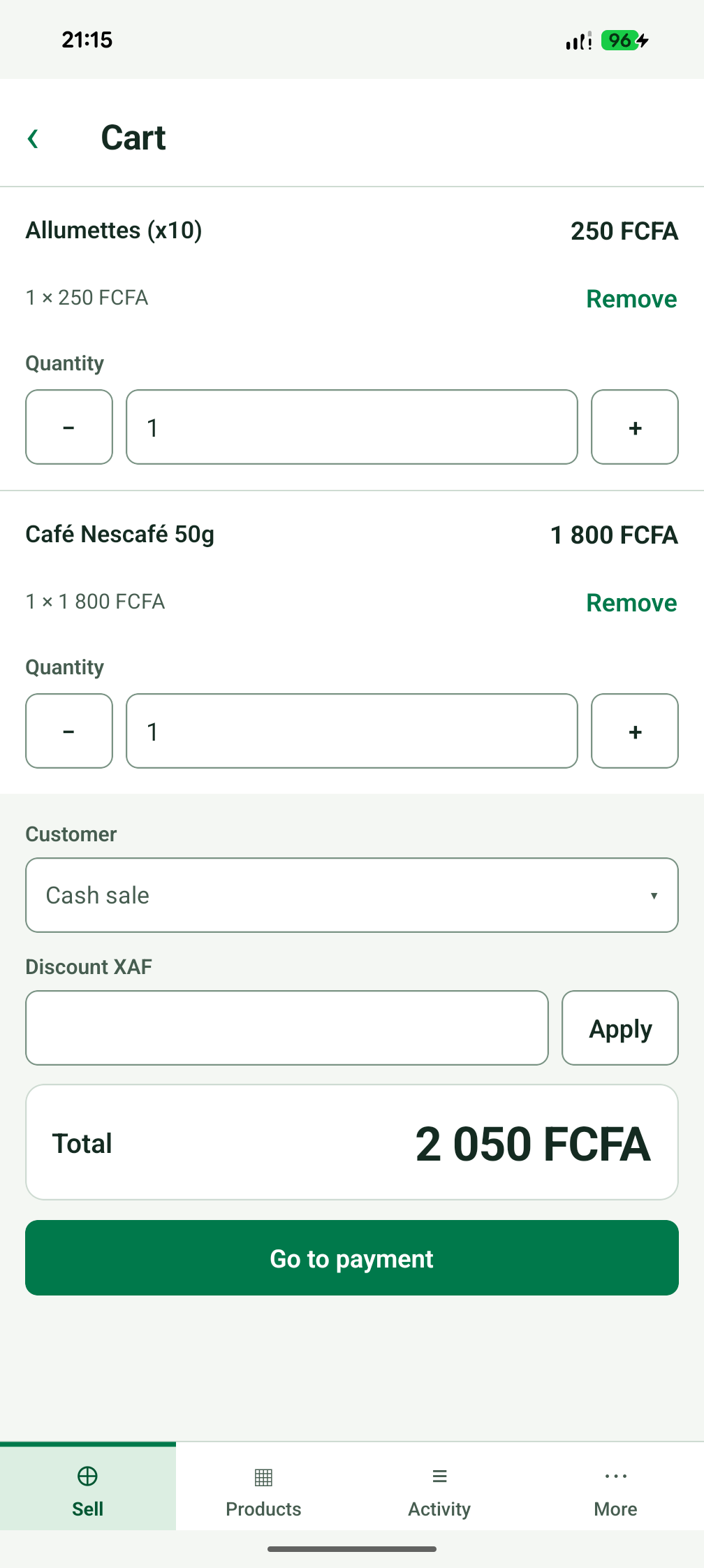
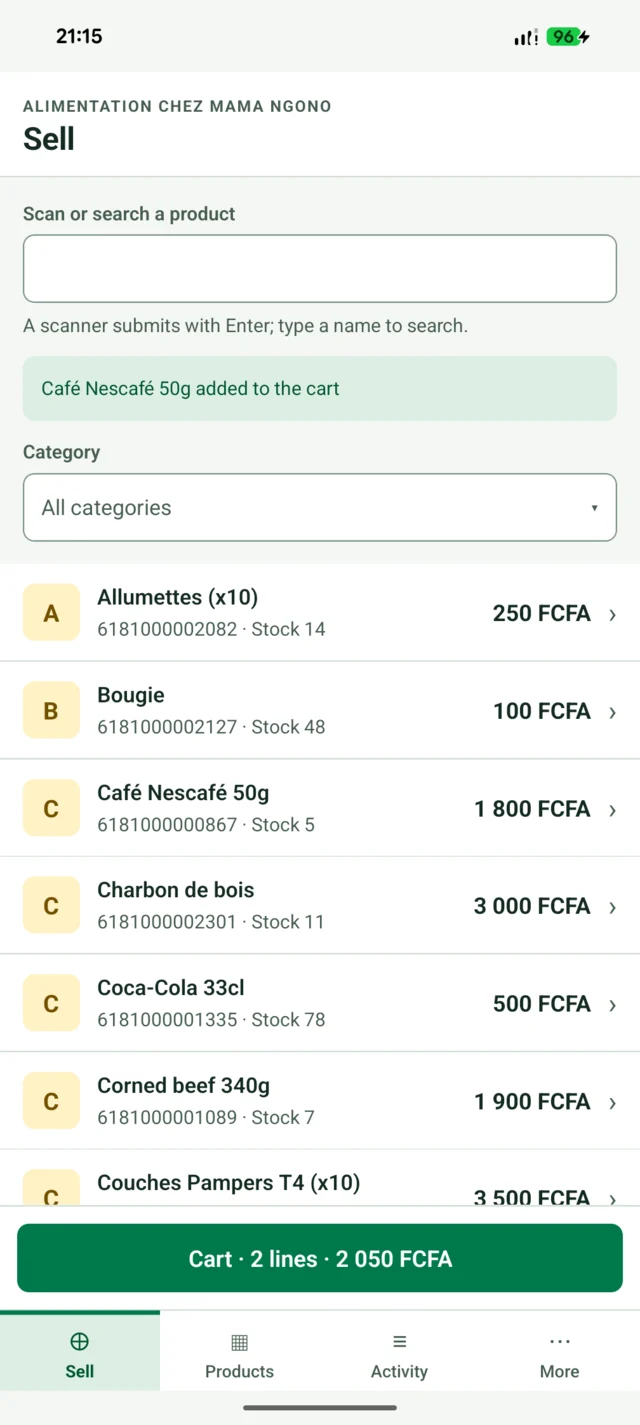
Your catalogue and current sale on Android.
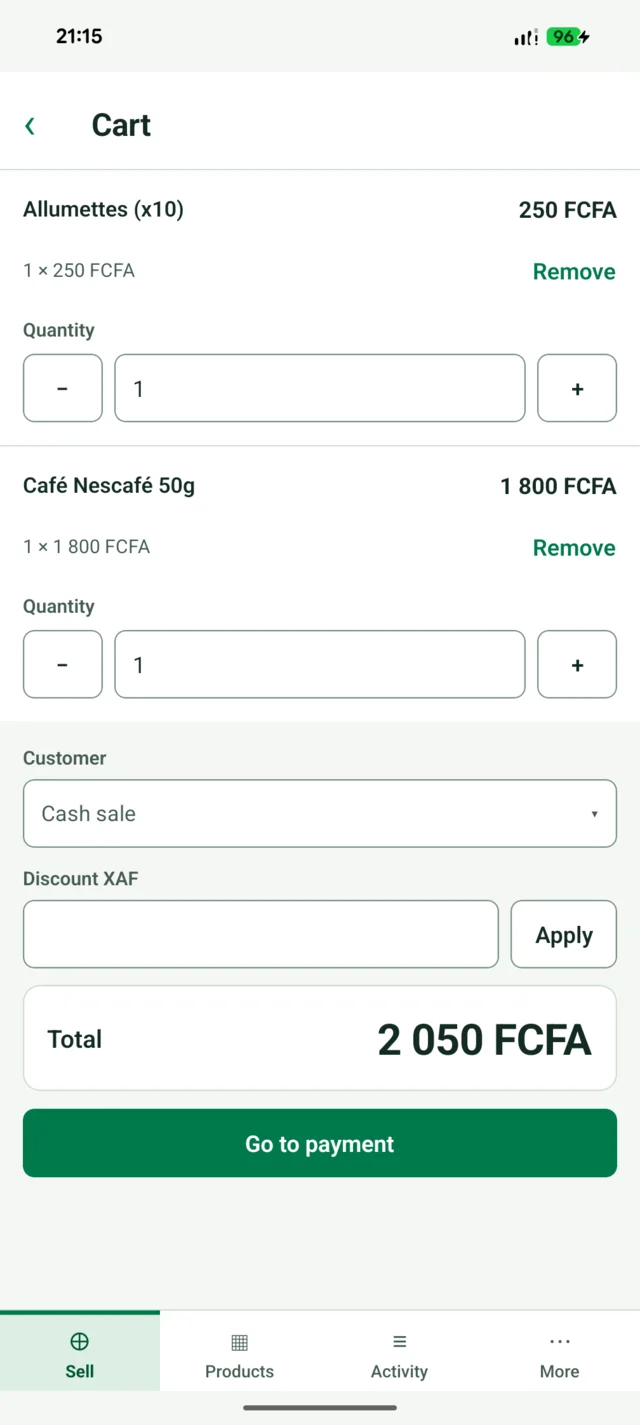
Quantities, customer and payment total in one place.
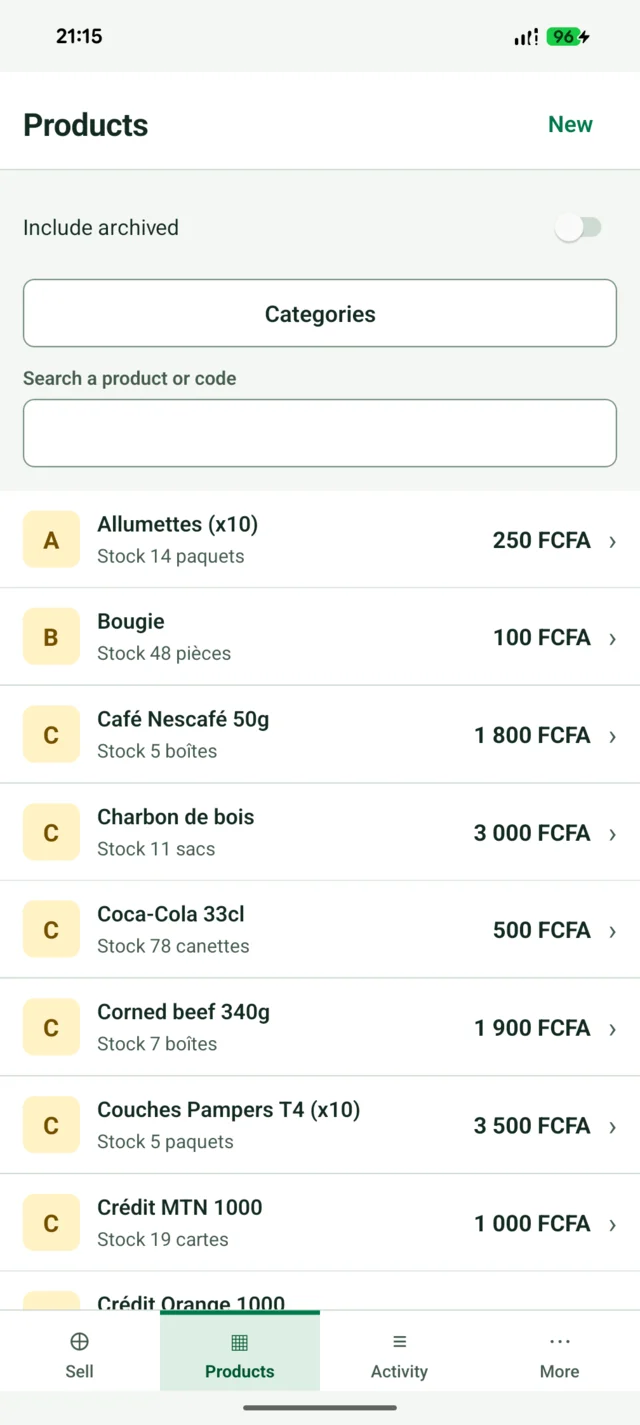
Look up products and quantities on your phone.
Screens shown with demo-shop data.
Sales and stock movements are saved on your device first. Your shop can work without a server or an internet connection.
Save encrypted backups and use files to move shop data between devices. Keep a copy somewhere safe.
Optional encrypted sync keeps connected tills in step. Add a device with a code or QR and the owner’s approval.
Use KOLO on its own, or connect your devices to a sync server you run yourself.
KOLO is in public beta. Download a build below and start with a demo shop if you want to explore first.
Published release v0.4.0 · Public beta Release notes & checksums ↗
For a shop computer running Windows.
App version 0.4.0Download Windows installerPortable versionFor Linux computers (64-bit).
App version 0.4.0Download AppImageDebian package (.deb)For Android phones and tablets.
App version 0.3.0Download Android APKBeta installation: Windows may show a warning for an unsigned build. Android APKs are installed manually. To update, install the new version over the old one.
The desktop and Android apps run independently. The optional sync server relays encrypted shop data between devices; it does not need to read your sales or stock.
A small kit for a shop visit, a presentation or a post: the official logo, demo screenshots and short descriptions in both languages.
Screenshots show illustrative shop data. Describe KOLO as a beta and keep future platforms marked as coming later.
No. Sales, stock, customer credit and reports work on the device. Internet is needed when syncing through a server.
Yes. Each staff member can have a personal code and permissions for their role.
The apps are open source, and running your own sync server is free. A hosted sync service can have a paid subscription; no hosted checkout is offered here.
Use an encrypted backup to restore your shop, or join an existing shop from another device. Keep backups outside the device you use at the counter.
You can enter a product barcode at the till. Camera-based product scanning is not available yet. QR scanning for joining a shop is a separate feature.
English and French, with amounts in FCFA (XAF). iOS, Google Play and F-Droid availability will follow later.